Tuesday, November 8, 2011


8/11/11
get the original model --> http://www.ronenbekerman.com/challenges/architectural-visualization-challenge-i-the-gh-house/


This is my rendering version of the outdated challenge from ronenbekerman.com; the GH House ArchViz Challenge.


done with Vray for SketchUp and with photoshop post processing! tutorial coming up!

Monday, July 11, 2011

eVolo 2012


^2011entries.

http://www.evolo.us/architecture/registration-evolo-2012-skyscraper-competition/

compete in one the most prestigious architecture award, the Evolo Skyscraper.

Ayo orang Indonesia mesti ikutan, kita ga kalah sama orang luar. buktinya:
Juara 2, Evolo 2010 CRP Ciliwung Recovery Program; portfolio

gabung?
http://www.evolo.us/architecture/registration-evolo-2012-skyscraper-competition/

Monday, July 4, 2011

Check this out! a New toy for Architect and Visualizer!

http://www.youtube.com/watch?v=AfmkVMTciN4

free to download trial demo...

source: http://lumion3d.com

Lumion® details

Lumion is a real-time 3D visualization tool for making movies and still shots of architecture, planning and design. It is also possible to give live demonstrations.
The power of Lumion is that it offers excellent graphics in combination with a fast and efficient workflow, saving time, effort and money.
Lumion comes in two editions: Basic and Ultimate. This page shows all the capabilities of both editions. For a full comparison, click here
ContentWorkflow
Content import
Lumion imports contents from 3D authoring tools, such as Google Sketchup, Autodesk products and many other software packages.
Some features:
- Imports DAE, FBX, MAX, 3DS, OBJ, DXF
- Imports TGA, DDS, PSD, JPG, BMP, HDR and PNG images
- Importing lightmaps is possible
Content library
Lumion also contains a content library with buildings, cars, people, animals, street furniture, roads, pavement, stones, hedges, etc.
  • 144 Plants and trees (affected by wind)
  • 54 Building types
  • 20 Animated adults (walk cycles or idle animations)
  • 20 Children (not animated)
  • 26 Animated animals (birds, farm animals, pets, fish)
  • 71 Cars, trucks, busses and boats
  • 209 Miscellaneous models (street furniture, traffic signs, etc)
Material library
  • 312 built-in materials
  • 8 customizable material types (water, glass, billboard, lightmap etc)
Environments and weather
  • 28 x Landscape types
  • 6 x Water types
  • Customizable weather (Cloud cover, sun position etc)
Scene creation
Lumion provides scene creation using a full GPU based 3D interface and real-time editing. It provides landscape creation, adjustment of daylight, sun, sky, clouds and water.  Highly optimized rendering makes adding tons of 3D content to the scene possible.
Some features:
  • Realistic water, several water types
  • Advanced sky and cloud rendering, animated clouds
  • Landscape rendering and editing, over 40 landscape themes
  • Accurate measurements to place objects, marker tools for precise placement
  • Easy material editing, 321 materials in the content
    library
Output to movies and images
Users can create movies by simply taking photographs of their scene. The camera path between the photographs is automatically generated.
Some features:
  • Output to MP4 and picture sequence, maximum resolution 1080p
  • Support for print-resolution still images, maximum resolution is 7680×4320
  • Edit Camera speed, smoothness, view angle
  • Animate objects and create sky/sun animations
  • Edit scene effects, such as object movement, sky/sun animations
  • Add title screen and post processor effects
  • 2D and 3D formats for side-by-side stereoscopic 3D playback
Theater mode
Using theater mode, giving live demonstrations of your scene is very easy.
Some features:
  • Quality level adjustment  for speeding up rendering on low-end machines
Requirements
- Requires Windows XP, Vista, or Windows 7
- Requires NVidia GeForce 8800 or similar ATI/AMD
- NVidia 260GTX / ATI 5850 or faster recommended

but i haven't try it out yet...:)

Tuesday, June 21, 2011

Vote my Work on Jovoto

http://www.jovoto.com/contests/garden-goes-balcony/ideas/13292 (ByTheYatch)
if u like it :)
http://www.jovoto.com/contests/garden-goes-balcony/ideas/13345 (schöne grüne terrasse)
if u like it :)
http://www.jovoto.com/contests/garden-goes-balcony/ideas/13688 (TheMagicWall)
if u like it :)


Please vote for my works if u like it :D (How? Sign in as member in www.jovoto.com ; then collect 150 karma points ; after you reach that points, vote for my work.)


Thank you very much for the voters...! 

Wednesday, June 15, 2011

Land for Sale! Canggu - Bali


Luas: 2,82 Ha
Harga: 300jt per are jalan 8m

(+)
-pemandangan kuta, airport, bukit jimbaran, sampai uluwatu.
-500m dari Echo Beach
-tanah asri di delta sungai sangat baik untuk vila dan resort
-dikelilingi villa mewah dan pantai privat

Tuesday, June 14, 2011

Land for Sale! Tanah Lot


Lokasi (Location): Tanah Lot, Tabanan, Bali


Lokasi tepat berada di utara parkir wisata Tanah Lot Bali, jalan masuk sebelum gapura Tanah Lot (jalan ke site belum dibangun) sangat ekslusif dan ramai dikunjungi wisatawan, cocok untuk resort (sudah ada banyak hotel di sekelilingnya), hotel, tempat wisata, apartment, villa, dll.

Luas (Land Area): 18 Hektar (18 Hectares)
Ketinggian (Land Height): +- 18m dpal (+- 18 meters asl)
Harga per are (Price per acre): 95 juta rupiah / $ 9500* (Nego, langsung pemilik), harga belum termasuk jalan

Dokumen / Documents: Sertifikat Tanah, Izin prinsip.

berminat kontak andrepradiktha@yahoo.co.id

Wednesday, May 18, 2011

Very Nice Render

I found many very nice rendering images by Luxigon www.luxigon.com
check it out, you may find it useful for your rendering experience

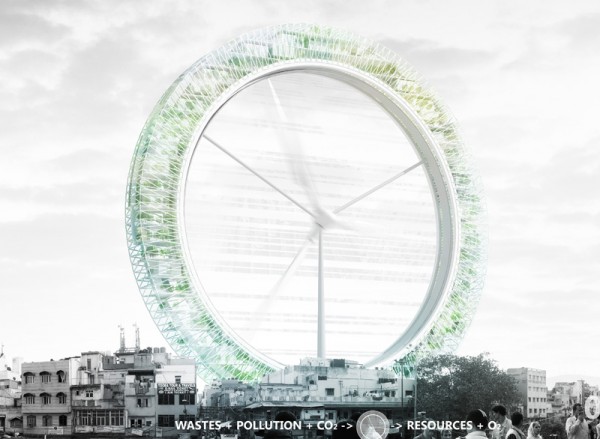
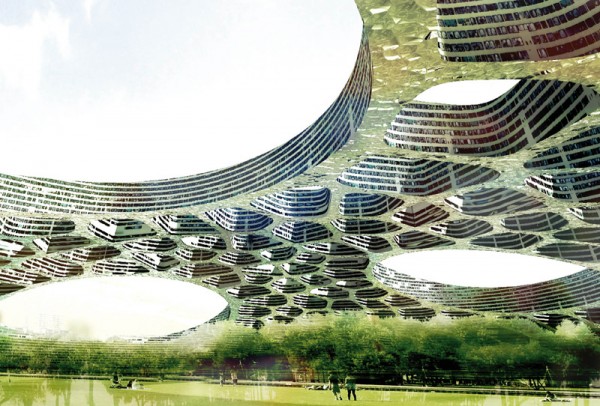
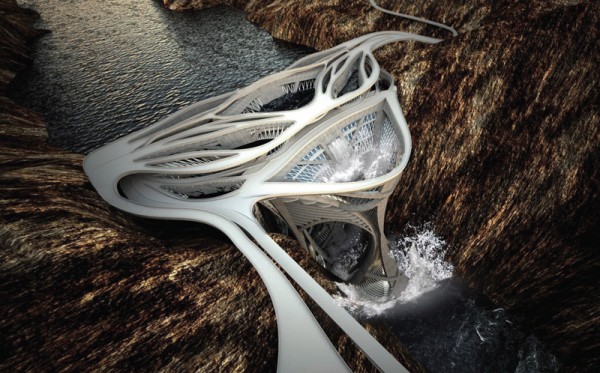
Vincent Callebaut Astonishing Architecture!

vincent callebaut architecture


visit: http://www.vincent.callebaut.org/
       or google for: vincent callebaut to see more his astonishing organic green architecture!

Thursday, April 28, 2011

Vray Material Concrete and Wood Detailed

Bonjour!
jumpa lagi, dan share lagi tentang pembuatan material kayu dan beton di vray for sketchup...
we meet again, and now i'm sharing about creating wood material and concrete in vray for sketchup...

1. as usual u need to create ambient environment model as u like and prefer. (i prefer used all vray default visopt). except ambient occlusion for definitive borders.
1. seperti biasa, kamu ciptakan dulu ruang dengan tata ruang yang kamu suka. aku pake semua opsi vray default, kecuali ambient occlusion untuk dapet garis tembok.

aku buat seperti ini, jangan terapkan material dulu
i built it like this, at the moment, don't apply ur material.

2. i continue to develop the room, i create a window on the right wall, so i let the sunlight pass my room.
2. aku terus kembangkan ruangan ini, aku buat jendela di tembok sebelah kanan agar cahaya alami dapat masuk dalam ruang.


3. i think it's almost done modeling the room, i made the wall thickness for real looks. i add a door in the right.
3. sudah hampir selesai, aku tebalkan temboknya dan tambah pintu di bagian kanan.


4. time to apply material, i apply it from sketchup not from vray. it should be like below images.
4. saatnya buat material, aku terapkan material dari sketchupnya bukan dari vray. hasilnya seperti gambar dibawah.

material yang aku pake:
the materials that i used:


find out in www.cgtextures.com ; it's free.
cari di www.cgtextures.com ; semuanya gratis.

5. in order to get the realness (realistic) of the material, basicly every material absorp and reflect the sun light, creating depth on those materials. so i create reflection layer on all materials.
5. untuk mencapai hasil yang realistik, pada dasarnya semua bahan menyerap dan memantulkan cahaya. jadi aku buat reflection layer pada semua material.

pada "M" pilih TexFresnel. IOR value untuk kayu aku pilih 2.1; untuk beton semuanya default (1.55)

result:
hasilnya:

6. too glossy, isn't it? then to create depth 3D effect i apply bump & displacement method.
6. agak mengkilap ya? lalu untuk membuat material terlihat lebih realistis (timbul), aplikasikan bump map, dan displacement.


make sure u use grayscale (desaturate) images for either bump or displacement texture map. on the "bump" and "displacement click the "M" and select on the left (TexBitmap).

pastikan kamu pake tekstur yang item putih (grayscale) untuk bump dan displacementnya.
klik "M" pada tab map, lalu pilih TexBitmap, dan pada "..." pilih image bump yang sudah kamu buat

6.1. example; creating bump and/or displacement texture
6.1. contoh membuat tekstur bump displacement


result:
hasil:

>>>belum ada bump & displacement
>>>no bump & displacement
>> applied bump & displacement.

7. it's time to add HDRi background
7. saatnya menerapkan latar gambar HDRi

HDRi (High Dynamic Range image) is image that can produce virtual light based on the color samples in that image, every pixel emit different light color depends on that pixel color, this method in CG is often called IBL method (Image Based Lighting), more information >> www.hdrlabs.com/sibl/


i get the hdri file from, www.openfootage.net >> don't forget to contribute and support them.
aku dapat file hdri dari www.openfootage.net >> jangan lupa untuk berkontribusi kpd mereka.

result:
hasil:


at last, this is my vray options:
terakhir, ini opsi vray yang aku pake:


all specification: Google SketchUp 7.1 pro, ASGVIS Vray for SketchUp 1.48.98 (the latest is 1.49.01) Windows XP SP3 32-bit. AMD Athlon X2, 2Gb memory, AMD HD4670

a final render:


all models can be downloaded through google 3D warehouse for free redistributing.

Voila! after post-processing in photoshop (read my another tutorials):


people cut-out can be downloaded from vizpeople (freesample).

terimakasih atas perhatiannya...
thank you for ur attention...

see u next time.